https//www.racom.eu/eng/products/m/ray/index.html
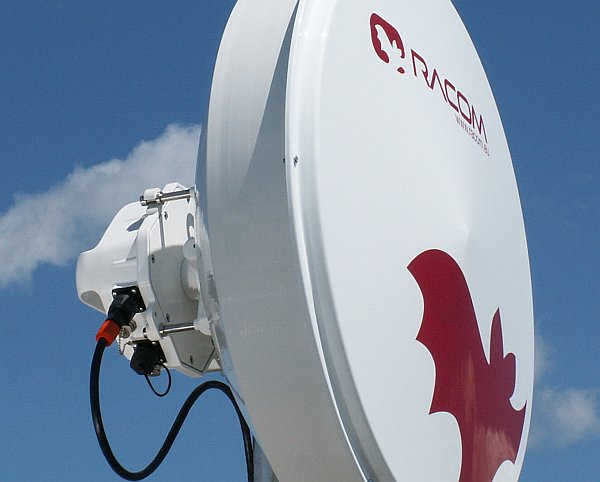
Table of Contents
- Important Notice
- Quick Start Guide
- List of documentation
- 1. RAy – Microwave Link
- 2. Implementation Notes
- 3. Product
- 4. Step-by-step Guide
- 5. Installation
- 6. Advanced Configuration
- 7. Command Line Configuration
- 8. Troubleshooting
- 9. Technical parameters
- 10. Safety, environment, licensing
- A. Antenna dimensions
- B. Rain Zone Map
- C. IP address in the PC (Windows XP)
- D. IP address in the PC (Windows 7)
- E. Linux key conversion
- F. Https certificate
- Index
- Revision History
List of Figures
- 1. Link Configuration
- 2.1. Rain zone map, based on Rec.ITU-R PN.837-1
- 2.2. Specific rain attenuation γR0.01 (dB/km) for H, V polarization and rain zones at 10 GHz
- 2.3. Fresnel zone
- 2.4. Design flowchart
- 3.1. RAy microwave bridge
- 3.2. RAy microwave bridge – image of the antenna and FOD unit
- 3.3. RAy microwave bridge – connectors
- 3.4. Name plate RAy10-xA
- 3.5. Name plate RAy10-xB
- 3.6. RAy Tool set
- 4.1. Link Configuration
- 4.2. Service Access Configuration
- 4.3. Link Configuration
- 5.1. Left-side mounting – horizontal polarization
- 5.2. Left-side mounting – vertical polarization
- 5.3. Right-side mounting – horizontal polarization
- 5.4. Close up image of the mounted bracket showing numbered parts
- 5.5. Position of the saddle plate for ø 40–80 mm
- 5.6. Position of the saddle plate for ø 65–115 mm
- 5.7. Attaching the bracket to the mast tube
- 5.8. Dish without mounting plate
- 5.9. Dish with mounting plate
- 5.10. Hanging the bolt on the holder
- 5.11. Correct position of the mounting plate
- 5.12. Tightening the upper bolt to the mounting plate
- 5.13. Tightening the lower bolt to the mounting plate
- 5.14. Dish before installing the FOD unit
- 5.15. Tightening bolts on the FOD unit
- 5.16. Horizontal adjustment of the antenna direction
- 5.17. Vertical adjustment of the antenna direction
- 5.18. Tightening the axis at the fine adjustment bolt
- 5.19. Tightening the axis at the bracket
- 5.20. Installation diagram for the Arkivator antenna, 30 and 60 cm
- 5.21. Installation diagram for the Arkivator antenna, 99 cm
- 5.22. Arkivator antenna bracket
- 5.23. Bracket on the mast
- 5.24. 30 and 60 cm diameter Arkivator antenna
- 5.25. Installation diagram for the Arkivator antenna, 120 cm
- 5.26. Grease points on the antenna pivot and FOD unit bush
- 5.27. Connecting the FOD communication unit
- 5.28. Example of a correct lead installation.
- 5.29. Tools for fitting connectors
- 5.30. IE-PI-RJ45-FH connector before fitting
- 5.31. Tool for removing insulation
- 5.32. Insulation removed
- 5.33. Twisted shielding
- 5.34. Shielding wrapped around the cable
- 5.35. Trimming shielding
- 5.36. Separated pairs of conductors
- 5.37. Pushing the lower pairs into the connector
- 5.38. Lower pairs pushed in
- 5.39. Cutting off of the upper conductors
- 5.40. All conductors in the connector
- 5.41. Fitting the complementary half of the connector
- 5.42. Squeezing the connector until the locks snap into place
- 5.43. Sliding the cover onto the connector
- 5.44. Finished IE-PI-RJ45-FH connector
- 5.45. IE-PS-RJ45-FH-BK connectorbefore fitting
- 5.46. Finished connector IE-PS-RJ45-FH-BK
- 5.47. Removing insulation
- 5.48. Removed insulation
- 5.49. Twisted shielding
- 5.50. Removing aluminium conductor shielding
- 5.51. Separated pairs of conductors
- 5.52. Lower two pairs ready for inserting
- 5.53. Lower pairs pushed in
- 5.54. All conductors in the connector
- 5.55. Trimming conductors
- 5.56. Inserted and trimmed conductors
- 5.57. Fitting the mate to the internal connector
- 5.58. Clamping the internal connector together with pliers
- 5.59. Grounding installation 1
- 5.60. Grounding installation 2
- 5.61. Grounding kit for S/FTP 4+2 cable
- 5.62. Grounding kit detail
- 5.63. RAy grounding kit
- 5.64. Grounding the FOD unit
- 5.65. Protective conductor at the FOD unit
- 5.66. Protective conductor at the mast on a ZSA16 terminal
- 5.67. Separated lightning conductor
- 5.68. Connecting a voltmeter to the BNC connector.
- 5.69. Voltage-signal strength diagram
- 5.70. Radiation diagrams
- 5.71. Radiation diagram – incorrect adjustment
- 5.72. 3D example of more complicated Radiation Pattern
- 6.1. Status Menu
- 6.2. Device Menu
- 6.3. Bridge Menu
- 6.4. Diagnostics Graphs Menu
- 6.5. Diagnostics Statistics Menu
- 6.6. Diagnostics Logs Menu
- 6.7. Realtime Menu
- 6.8. Tools Menu
- 6.9. Tools – Spectrum analyzer Menu
- 6.10. Menu Tools – Constellation 2
- 6.11. Short Status Menu
- 7.1. CLI menu
- 9.1. Status diagram of ACM switching according to SNR state
- 10.1. EU Declaration of Conformity RoHS, WEEE
- 10.2. Declaration of conformity for RAy10–xA (10.3 – 10.6 GHz)
- 10.3. Declaration of conformity for RAy10–xB (10.15 – 10.65 GHz)
- A.1. Dimensional layout of the RAy10 with the Jirous antenna
- A.2. 0.6 m Arkivator antenna
- A.3. 0.99 m Arkivator antenna